Creating a cozy and productive home office space is essential in today’s world, where many people work remotely or spend significant time at home. A well-designed workspace can boost your motivation, help you focus better, and even improve your mood throughout the day. Whether you have a dedicated room or just a corner to set up your office, these tips will help you make your area both comfortable and efficient.
Choose the Right Location
Finding the perfect spot for your home office is the first step. Look for a quiet area with minimal distractions and natural light if possible. If you don’t have a dedicated room, consider a part of your living room, bedroom, or even a nook under the stairs.
– Select a space away from noise sources like the TV or kitchen.
– Make sure there’s enough room for your desk, chair, and any equipment.
– Think about your commute inside your home — keeping your workspace separate can help maintain work-life balance.
Invest in Ergonomic Furniture
Comfort plays a big role in productivity. An ergonomic chair and desk will help prevent discomfort and strain during long hours of work.
– Choose a chair with adjustable height, lumbar support, and comfortable cushioning.
– Your desk should be at a height where your elbows rest comfortably at a 90-degree angle.
– Consider standing desks or adjustable desks if you want to alternate between sitting and standing.
Optimize Lighting
Proper lighting reduces eye strain and creates a pleasant atmosphere.
– Maximize natural light by positioning your desk near a window but avoid glare on your screen.
– Use a desk lamp with warm light tones to create a cozy ambiance.
– Avoid harsh overhead lighting; soft, indirect light is best for concentration and relaxation.
Keep It Organized
A clutter-free workspace supports clear thinking and efficiency.
– Use storage solutions like shelves, drawers, and filing cabinets to keep papers and supplies tidy.
– Organize cables with clips or cable management boxes.
– Keep only essential items on your desk and store extras nearby.
– Try daily or weekly tidying to maintain order.
Personalize Your Space
Adding personal touches makes your workspace feel welcoming and inspiring.
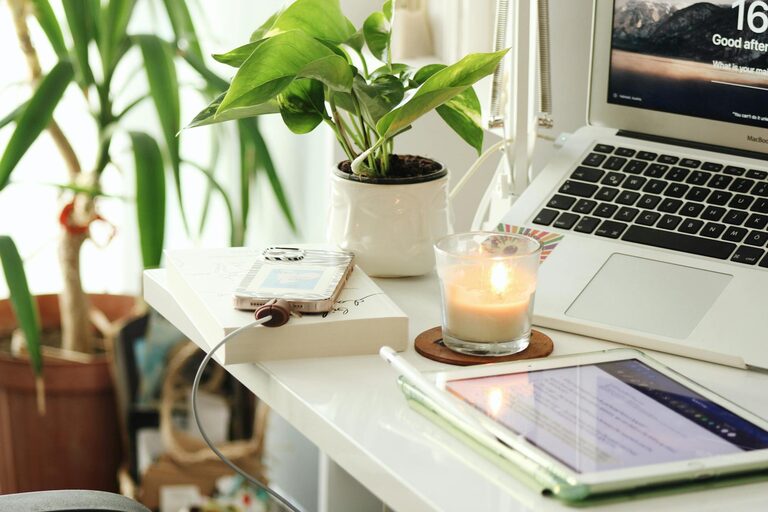
– Decorate with plants, which can improve air quality and reduce stress.
– Hang artwork or photos that motivate you.
– Use colors that suit your mood; soft colors like light blue or green promote calmness, while brighter colors like yellow can boost creativity.
Create a Routine and Boundaries
Your home office should promote a healthy work-life balance.
– Set regular work hours and stick to them.
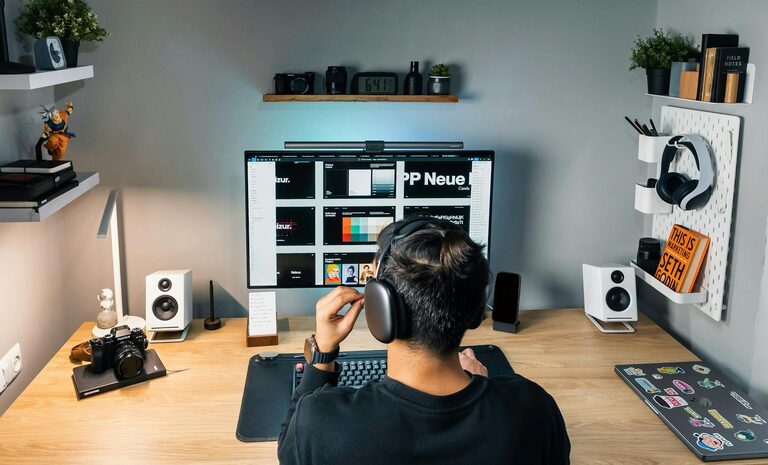
– Use noise-cancelling headphones or white noise machines if needed.
– Avoid working from bed or couch to keep work and relaxation zones separate.
Use Technology Wisely
Efficient technology can streamline your workflow.
– Invest in a fast internet connection.
– Use dual monitors if your work requires multitasking.
– Keep your devices charged and updated to avoid disruptions.
– Use apps or tools that help with task management and communication.
Add Comfort Accessories
Small details improve your comfort significantly.
– Have a soft rug under your desk for warmth.
– Keep a cozy blanket or cushion on your chair.
– Use a water bottle or tea mug to stay hydrated during work.
By following these tips, you can create a cozy and productive home office that not only meets your work needs but also supports your well-being. A thoughtful workspace design can make working from home more enjoyable and efficient every day.