
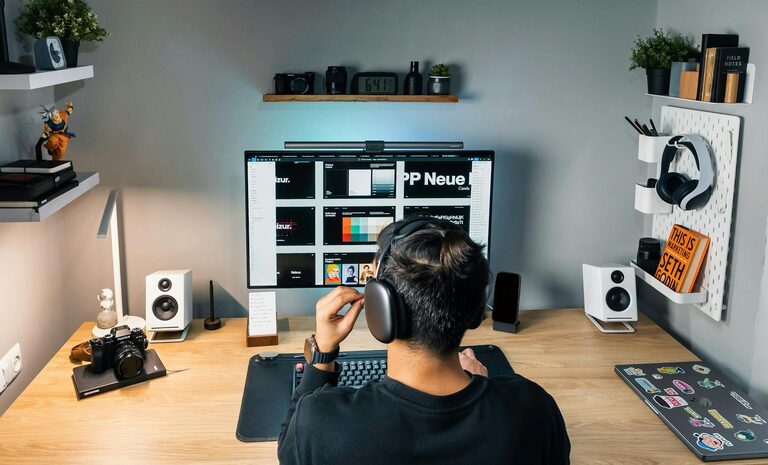
Creating a productive home office environment is essential for anyone working remotely or running a business from home. A well-organized and thoughtfully designed workspace can make a significant difference in your focus, motivation, and overall work quality. In this guide, we’ll explore practical tips to help you set up a home office that promotes productivity and comfort.
Why a Productive Home Office Matters
Working from home offers flexibility, but it also comes with challenges like distractions and blurred boundaries between work and personal life. A dedicated, productive workspace helps establish a routine and separates professional tasks from daily home activities, which can improve concentration and work efficiency.
Choosing the Right Location
Find a Dedicated Space
Select a quiet, low-traffic area in your home to minimize interruptions. Avoid places like the kitchen or couch, which can be distracting or uncomfortable for long work hours.
Consider Natural Light
If possible, position your desk near a window to take advantage of natural light. Exposure to daylight boosts mood and alertness. Use light curtains to prevent glare on your screen.
Ergonomics and Comfort
Invest in a Good Chair
An ergonomic chair with adjustable height and lumbar support can prevent back pain and fatigue. Comfort is key to maintaining focus throughout the day.
Set Up Your Desk Properly
Your desk height should allow your forearms to be parallel to the floor while typing. Keep your monitor at eye level to avoid neck strain. A desk large enough for your computer, paperwork, and any other tools helps maintain organisation.
Maintain Proper Posture
Sit with your feet flat on the floor and knees at a right angle. Take short breaks every hour to stretch and move around, which helps reduce stiffness and boosts circulation.
Organising Your Workspace
Declutter Regularly
A tidy desk reduces stress and distractions. Keep only essential items within arm’s reach. Use drawers or storage boxes to store paperwork and supplies.
Use Organisers and Shelving
Desk organisers, shelves, or filing cabinets keep your materials sorted and easy to access. Label files or containers for quick finding.
Personal Touches
Add small personal items like plants or photos to make the space inviting, but avoid overcrowding. Plants can also improve air quality.
Minimising Distractions
Manage Noise
If noise is an issue, consider noise-cancelling headphones or white noise machines. Inform family members or housemates about your working hours to reduce interruptions.
Digital Discipline
Limit social media and non-work-related websites during work hours. Use browser extensions or apps that block distracting sites.
Set Boundaries
Communicate clearly with people you live with about your working schedule to minimize impromptu disturbances.
Lighting and Ambience
Use Layered Lighting
Combine natural light with task lighting, such as desk lamps, for consistent brightness. Adjustable lamps help reduce eye strain during evening hours.
Choose Calming Colours
Soft, neutral colours like light blue, green, or beige promote calmness and focus. Avoid overly bright or dark colours that may cause fatigue.
Managing Work-Life Balance
Set a Routine
Maintain regular working hours to create a clear beginning and end to your day. A consistent schedule helps your brain switch between “work mode” and “relax mode.”
Take Regular Breaks
Short breaks every hour improve concentration and prevent burnout. Use break time to stand, stretch, or go outside briefly.
End Your Day with a Ritual
Close your laptop, tidy your desk, or write a to-do list for tomorrow to signal the end of your workday.
Technology and Tools
Reliable Internet Connection
A fast and stable internet connection is vital for remote work, especially if you attend video meetings or use cloud services.
Efficient Hardware
Ensure your computer, printer, and other tools are up to date and functioning well to avoid frustration and downtime.
Use Productivity Tools
Task managers, calendars, and communication apps can help you stay organised and connected with colleagues.
Conclusion
Creating a productive home office environment takes some planning, but the benefits in focus, comfort, and work quality are well worth it. By choosing the right location, setting up ergonomically, managing distractions, and keeping your space organised, you can boost your productivity and enjoy your remote work experience.
Remember, your home office is your personal workspace – tailor it to your needs and preferences, and don’t hesitate to make adjustments as you discover what works best for you.